
Warkop & warung setup
A simple settings recipe for warkop, warung eateries, and angkringan stalls: one tablet, free seating, cash & QRIS, optional receipts.
On this page
This guide is for warkop and warung (Indonesia’s small coffee stalls and family eateries), angkringan, and other small shops. There’s usually just one tablet or phone at the cashier counter, guests sit wherever they like, and orders are made right behind the counter. Some warkop have guests pay first, others let them eat first and pay afterward. Both work.
Warkop & warung
One tablet, free seating, cash & QRIS.
Flow
- 1Guest orders at the cashierGuest
- 2Pay first or laterCashier
- 3Prepare the orderKitchen
- 4Receipt on requestCashier
Modules
Sample menu



Devices
1 cashier tablet or phone + receipt printer (optional)
Recommended settings#
There’s no dedicated warkop preset yet. Choose the Café / coffee shop business type in the setup wizard (the closest match), then adjust it to match this table.
| Setting | Value | Where |
|---|---|---|
| Order sources | Cashier only | Settings › Order flow |
| Payment timing | Pay first, or Eat first, pay later | Settings › Order flow |
| Table for dine-in | No tables (free seating) | Settings › Order flow |
| Orders without a table are called by | Guest name | Settings › Order flow |
| Receipt print mode | Ask cashier (print / digital / none) | Settings › Receipts & printing |
| Rounding | Rp500, Nearest, Cash only | Settings › Tax & charges |
| Tax rate | Based on your warung’s tax status (0 is fine) | Settings › Tax & charges |
Modules: Core POS is all you need. The Starter plan is enough.
Setup steps#
1. Turn off what you don’t need#
- Open Modules. Back OfficeSettingsModules.
- Turn off Tables & QR ordering and Pay-at-Table if guests always order at the cashier. The cashier screen gets simpler.
- Turn off Kitchen if orders are made right behind the counter without tickets. You can turn it back on anytime if you need a kitchen printer later.
2. Pick how your warung takes payment#
- Open Order flow. Back OfficeSettingsOrder flow.
- Check Cashier as the only order source.
- Choose the payment flow. Guests pay up front? Choose Pay first. Guests usually eat first and pay before they leave? Choose Eat first, pay later.
- Set the table option to “No tables (free seating)” and call orders by Guest name.
- Save changes.
order.payment_timingpay_laterorder.table_modenone3. A simple menu#
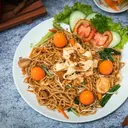
In Back OfficeMenu & pricingItems, create the categories Drinks, Noodles & Rice, and Fritters. For example: Kopi Tubruk Rp5,000, Es Teh Manis Rp4,000, Indomie Goreng Telur Rp12,000, Bakwan Rp1,500.
Useful modifiers: Sweetness Level (Normal, Less sweet, No sugar) and Extras (Egg +Rp4,000, Corned beef +Rp5,000).
4. Payments and receipts#
- Payment methods. Cash is always on. For QRIS you have two options: dynamic QRIS through a payment gateway, or your own static QRIS (the sticker from your bank) recorded as an Other method named “Static QRIS” in Back OfficeSettingsPayment methods.
- Rounding. In Back OfficeSettingsTax & charges, round to Rp500, direction Nearest, Cash only.
- Tax. Set the tax rate to match your warung’s obligations. If you don’t collect PBJT (Indonesia’s regional restaurant tax, formerly PB1), enter 0.
- Receipts. In Back OfficeSettingsReceipts & printing, choose Ask cashier. After each payment, the cashier picks Print receipt, Digital receipt (QR), or No receipt. It saves paper.
receipt.print_modeask5. Devices#
One Android tablet or phone in Cashier mode is enough. A receipt printer is optional. Without one, use digital receipts or no receipt.
Example: a busy night#
Saturday night, the warkop is full, running eat first, pay later.
- Pak Joko orders a Kopi Tubruk and an Indomie Goreng Telur. The cashier taps both, enters “Pak Joko” as the Customer name, and taps Send to kitchen.
- Half an hour later, Pak Joko adds 3 Bakwan. The cashier opens Pak Joko’s bill from Active orders, adds the items, and sends them again.
- Pak Joko is ready to leave. The total is Rp21,500 (this warung doesn’t charge tax). He pays Rp22,000 in cash. With rounding to Rp500 there’s no difference, and his change is Rp500.
- The cashier picks No receipt because Pak Joko didn’t ask for one.
Tips and common mistakes#
Checklist before opening#
- Unused modules are turned off so the cashier screen stays simple.
- The payment flow matches how your warung works (pay first or eat first).
- Cash and a QRIS method are active, and cash rounding is set up.
- Each cashier has their own PIN, not a shared one.
- The opening cash float is counted and entered when the shift opens.
When your warung gets busier#
Starting to feel overwhelmed? These are the add-ons growing warkop use most:
- Kitchen printer (Kitchen module) so orders from the cashier print straight in the kitchen.
- A second cashier tablet during busy hours. Both see the same bills.
- QR on the tables (Growth plan) so guests order for themselves and the line at the cashier gets shorter.
Related guides#
Was this guide helpful?
Thanks! Glad it helped.
Thanks for the feedback. Want us to help you directly?
Ask on WhatsApp